01
Build
Import drawings, place vector-based symbols, measure at scale, and build layouts with true WYSIWYG output.
Offline-first CAD & system design
Build scaled drawings, manage devices, update field progress, and generate fully documented outputs—all in your browser.
Visual Flow
Joshware combines drafting, data, and documentation into one connected workflow.
Import drawings, place vector-based symbols, measure at scale, and build layouts with true WYSIWYG output.
Open projects on mobile, update status, notes, and labels, capture device photos, and send progress back to the master project.
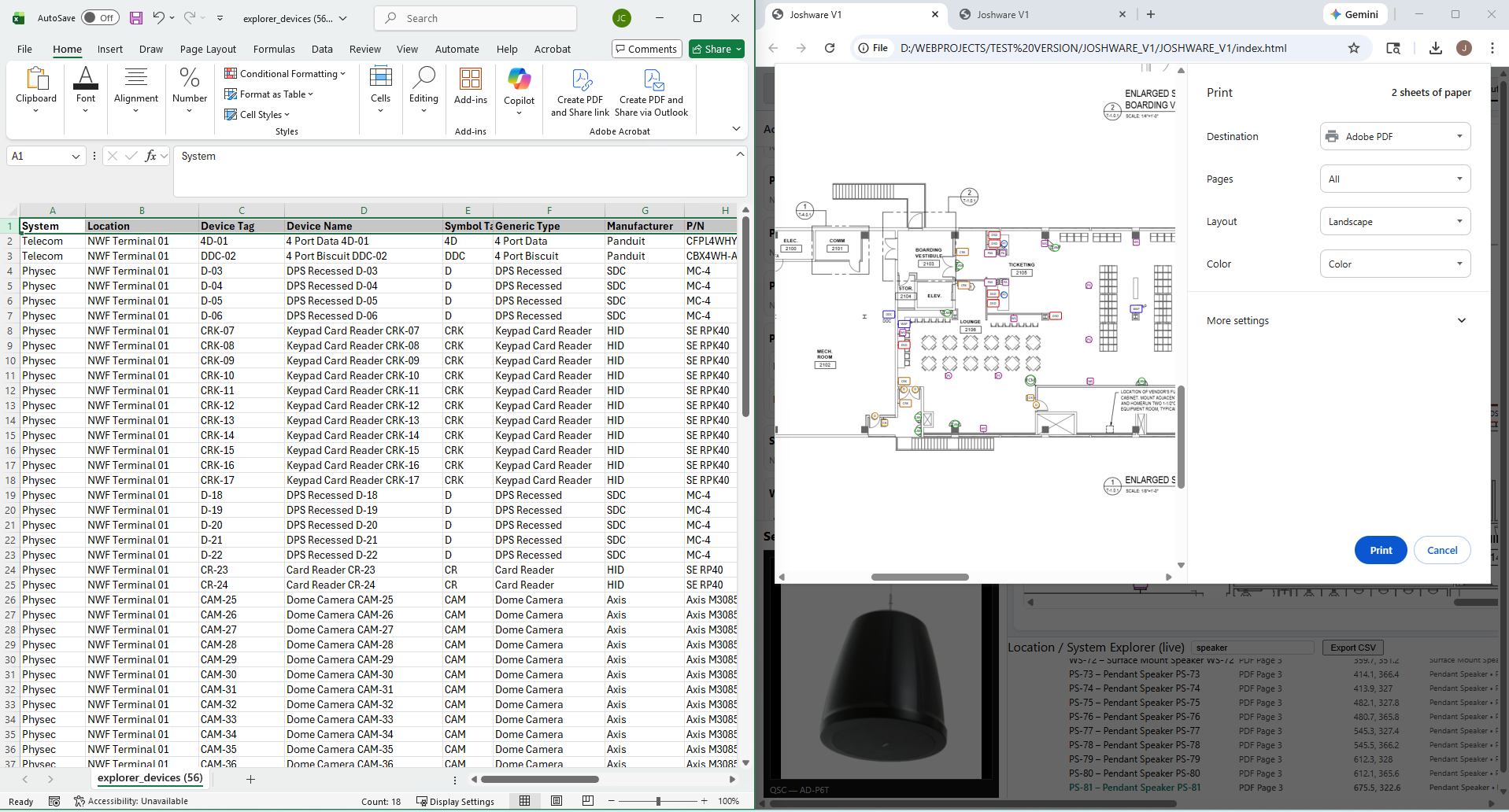
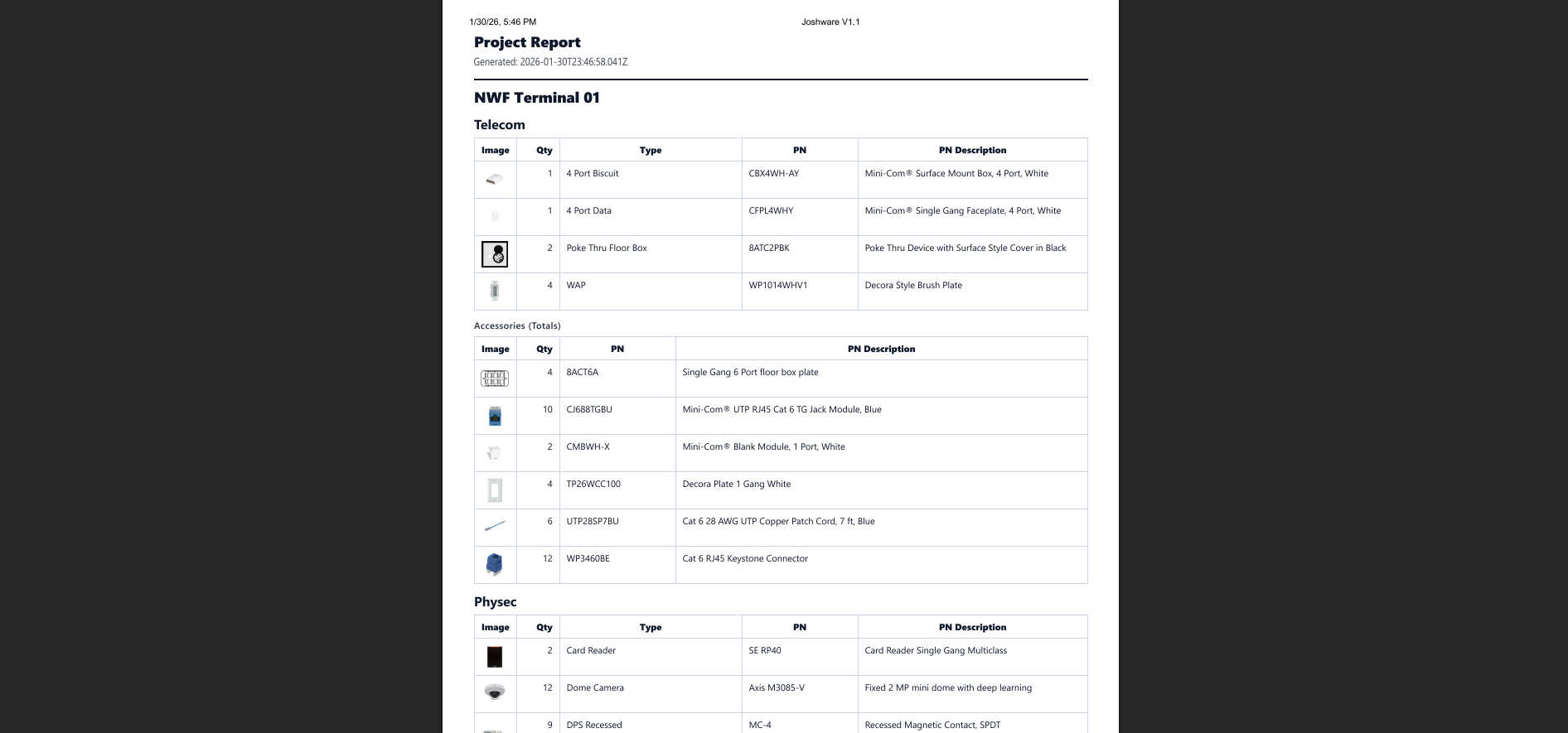
Generate fully bookmarked PDFs, legends, CSV data, and one-click spec sheet bundles.
Why It Feels Fast
Joshware is built to reduce friction at every step.
Select a device in the explorer and jump to it instantly. Select it on the canvas and the explorer follows.
Explorer, symbols, accessories, parts manager, and database manager all support fast filtering and lookup.
Clear pages and devices while preserving symbols, parts, systems, and associations for rapid reuse.
Why It’s Different
Built for real-world design work without the overhead of traditional software.
Joshware runs locally after first load and continues working in airplane mode with full project access.
A folder-based external parts database behaves like a server-backed system without requiring a server.
Projects, data, spec sheets, photos, and outputs remain fully exportable and under the user’s control.
Proof
Real workflows. Real projects. No setup required.
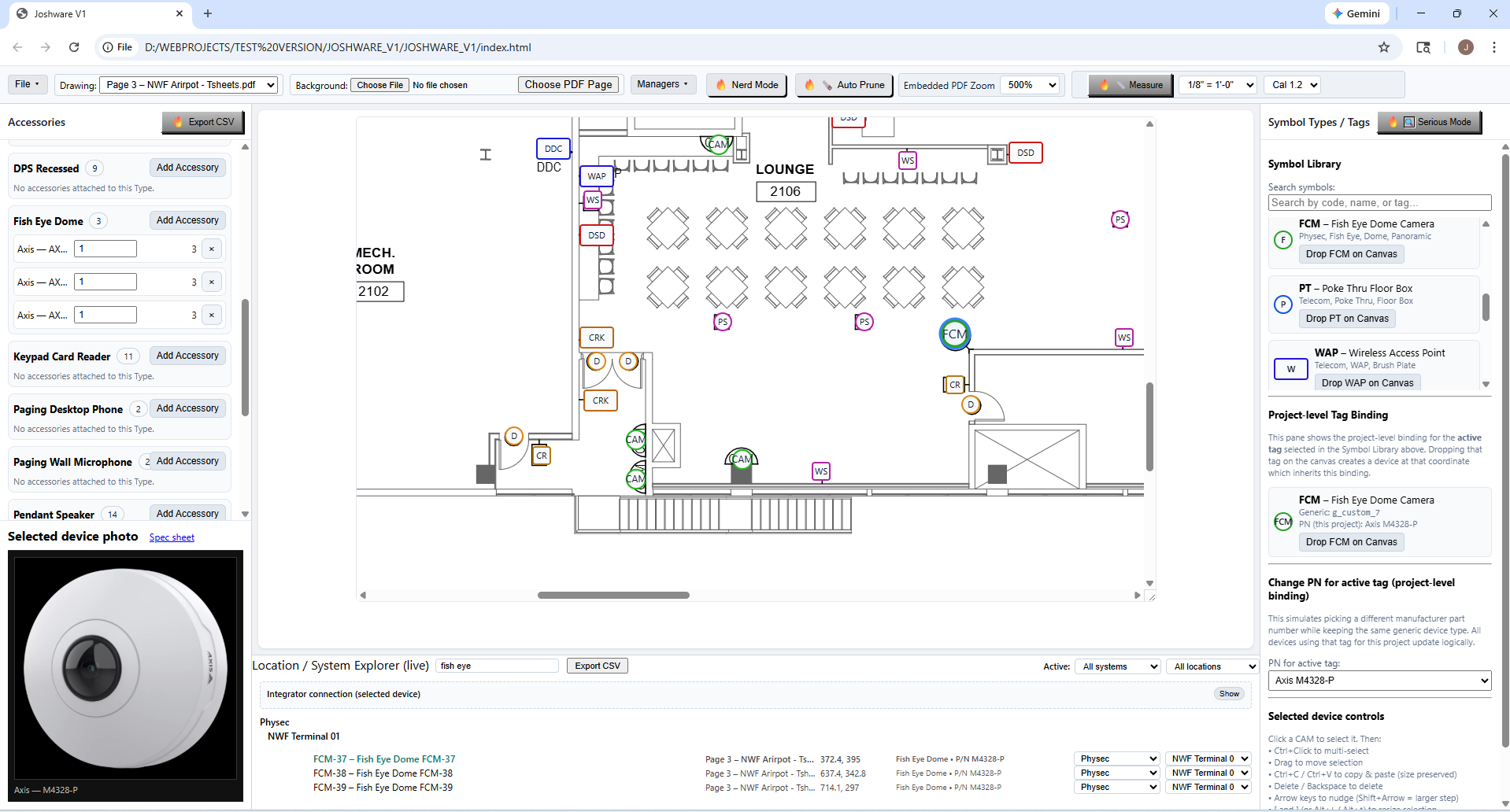
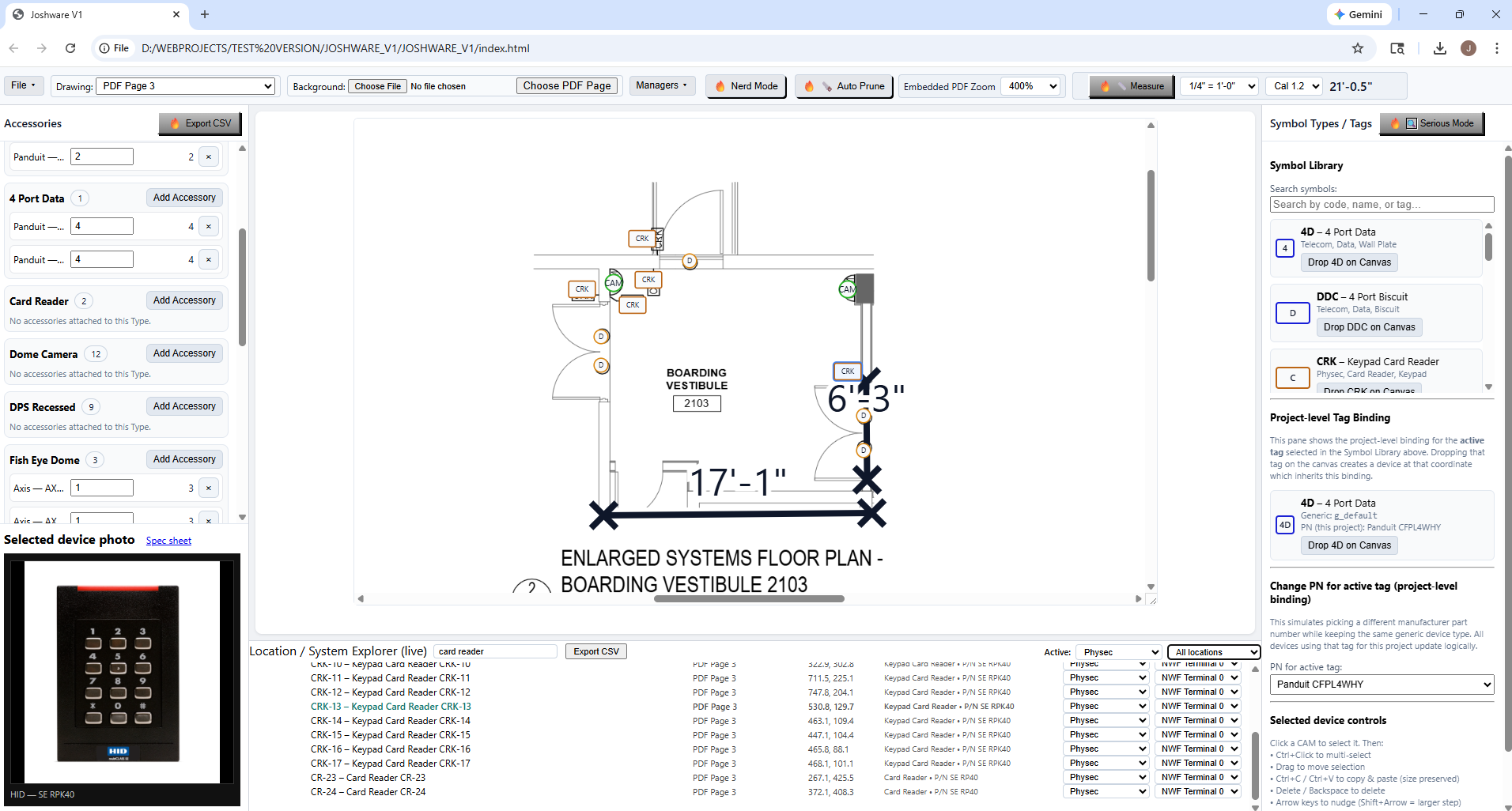
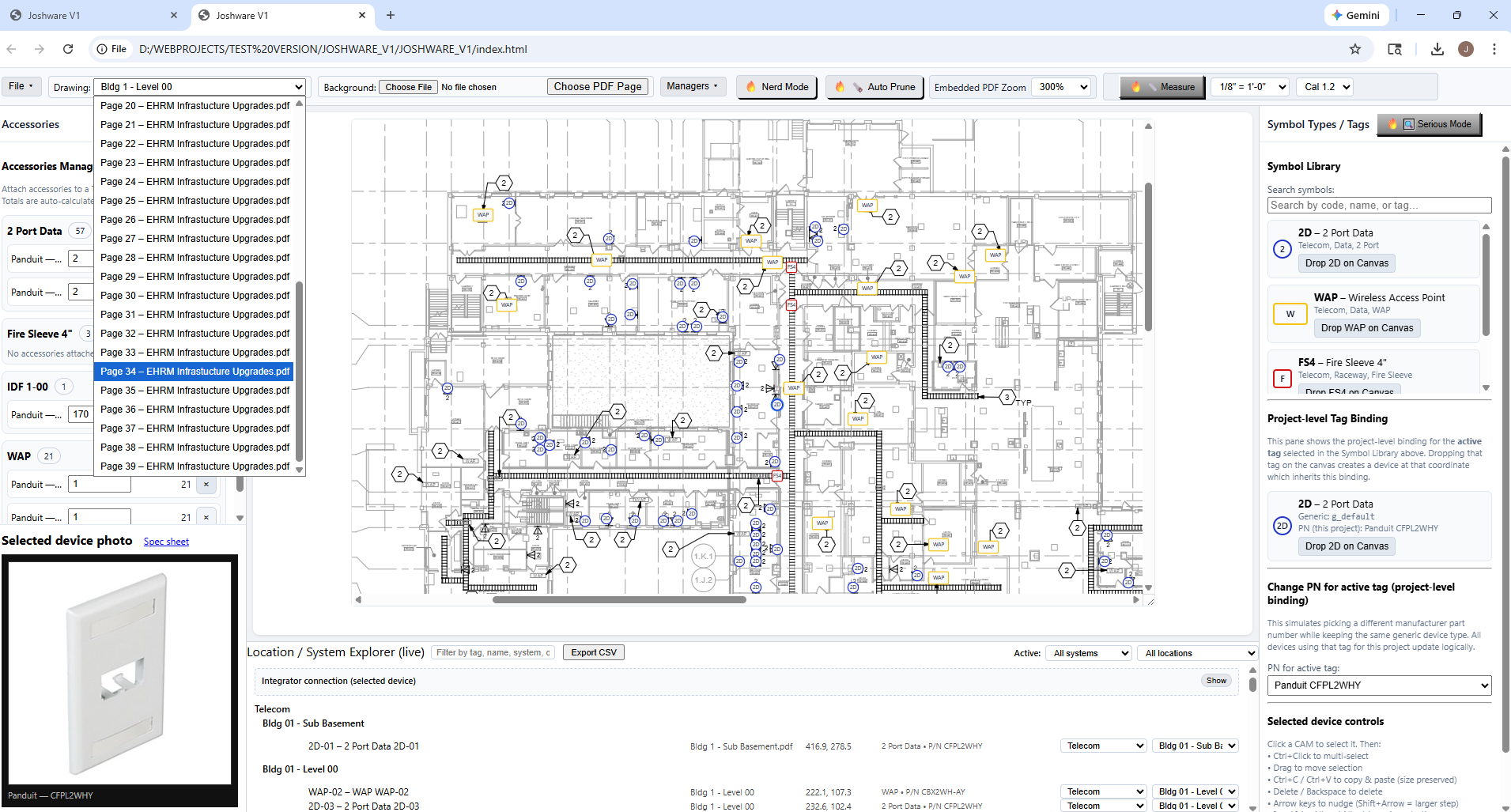
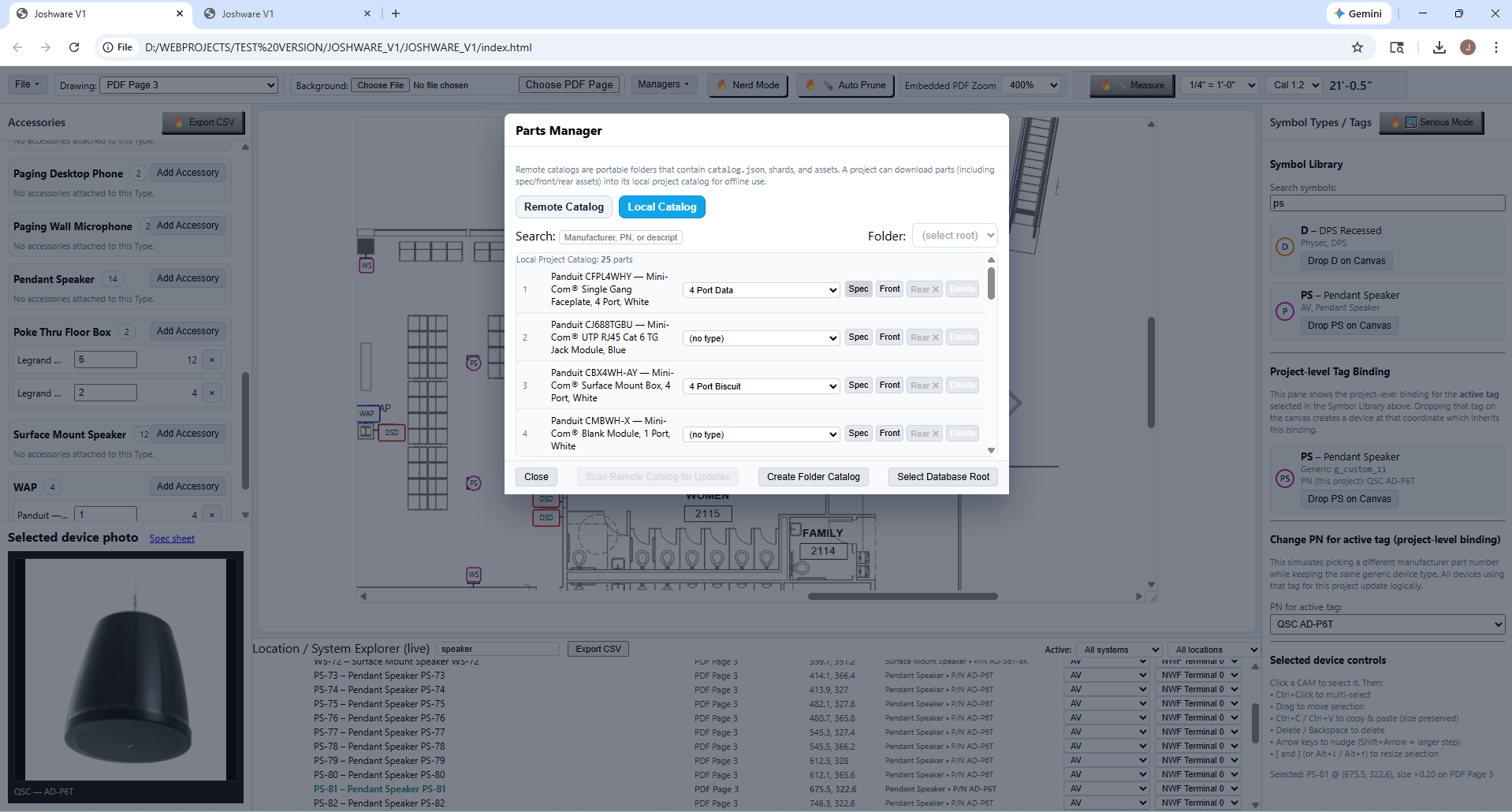
No installs. No setup. Just open the app and go to work.